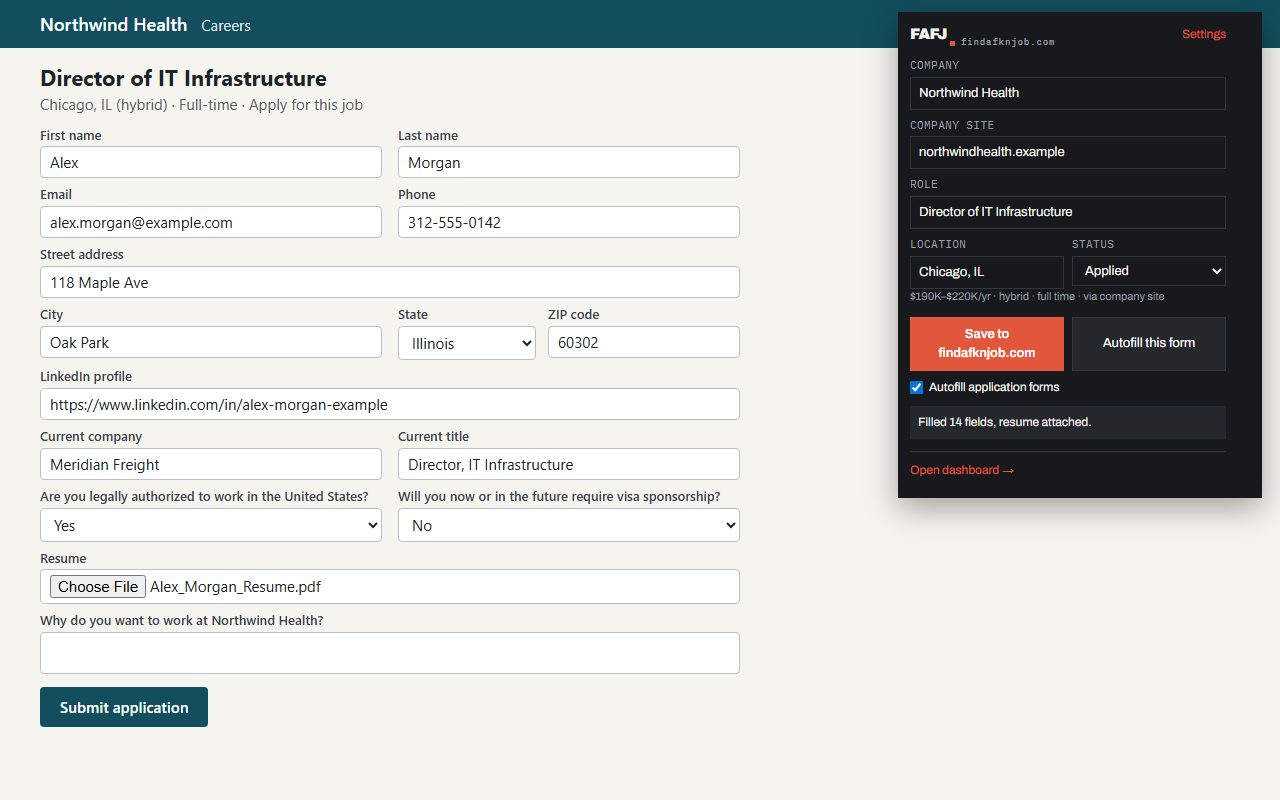
Autofill
Turn on Autofill in the extension and it fills in application forms from your profile. You always click Submit.
Let the extension fill in the form
Tired of typing the same details into every application? Turn on Autofill application forms in the extension’s popup or its settings page. It stays off until you do, and each person decides for themselves. Then open an application form and click Autofill this form. On Pro it fills everything it can from Your Resume Profile: contact details, work history, education, the answers you saved, and it attaches your resume. On Free it fills your name, email, phone and address. Anything it has no answer for is left for you. Check the form, then click Submit yourself: FAFJ never submits an application for you.