How FAFJ works
Set it up once. Then just apply, and FAFJ keeps track of everything.
Works on any computer or phone. The extension on a computer does the heavy lifting.
Get set up
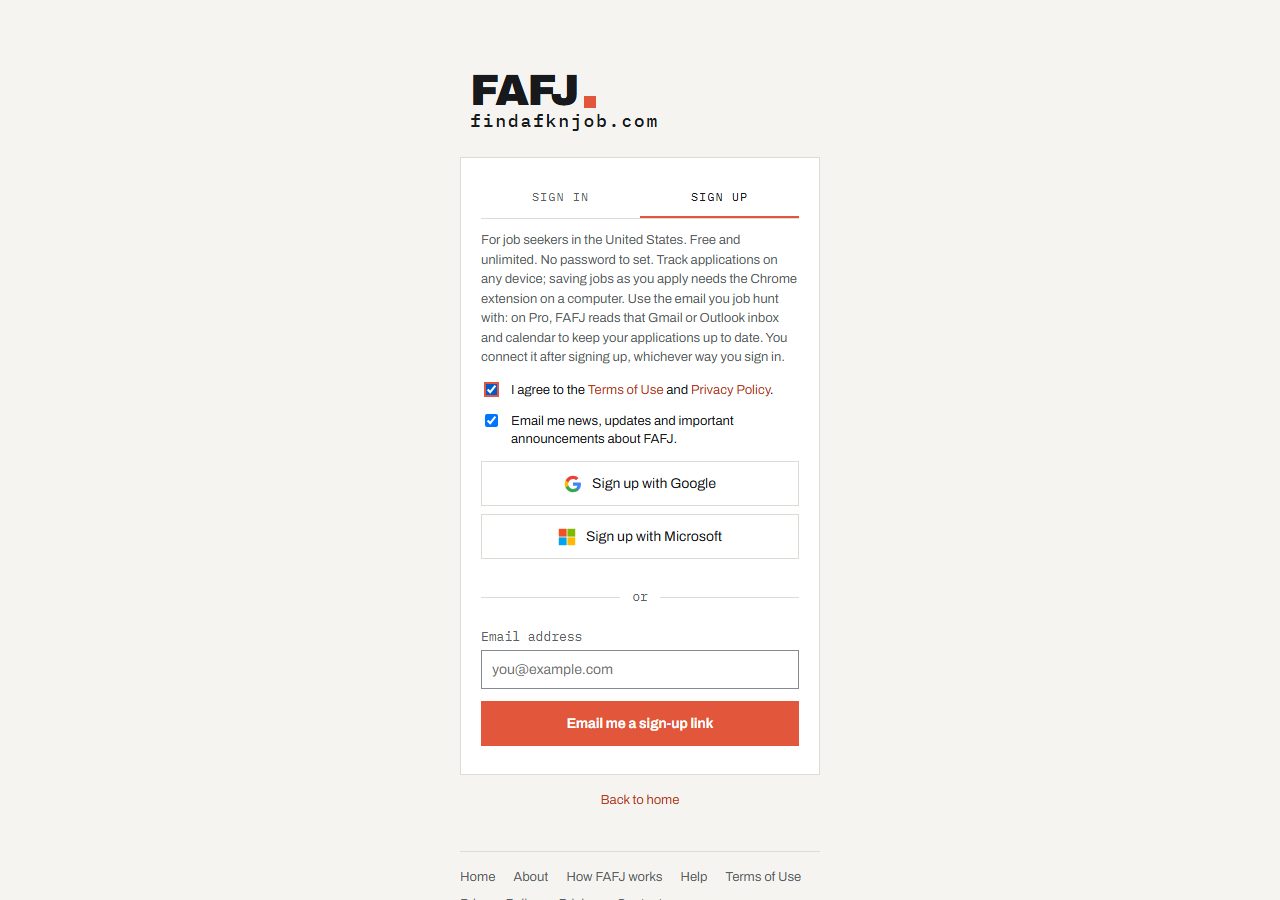
Sign up
Use Google, Microsoft, or an email link. No password, no card, and free for unlimited applications. More
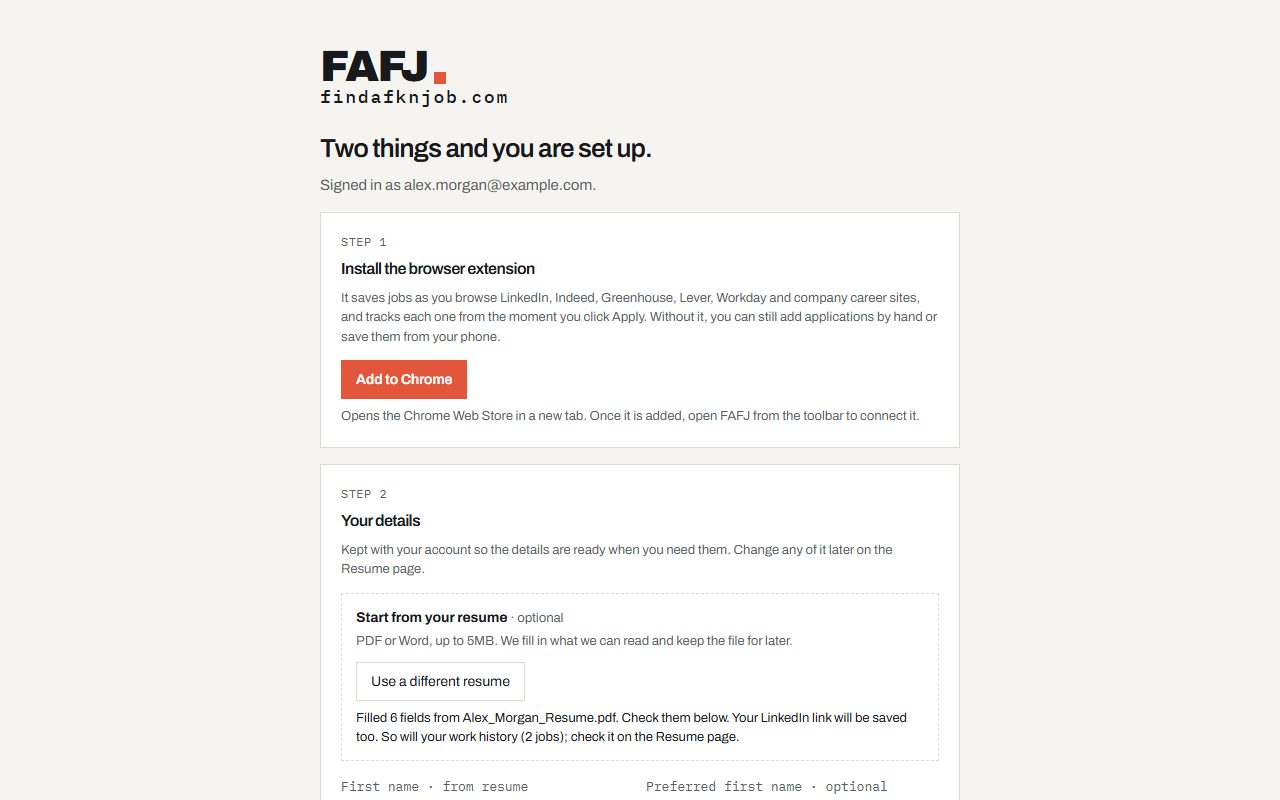
Add your resume
Upload it and FAFJ fills in your profile for you. Check it and you're done. More
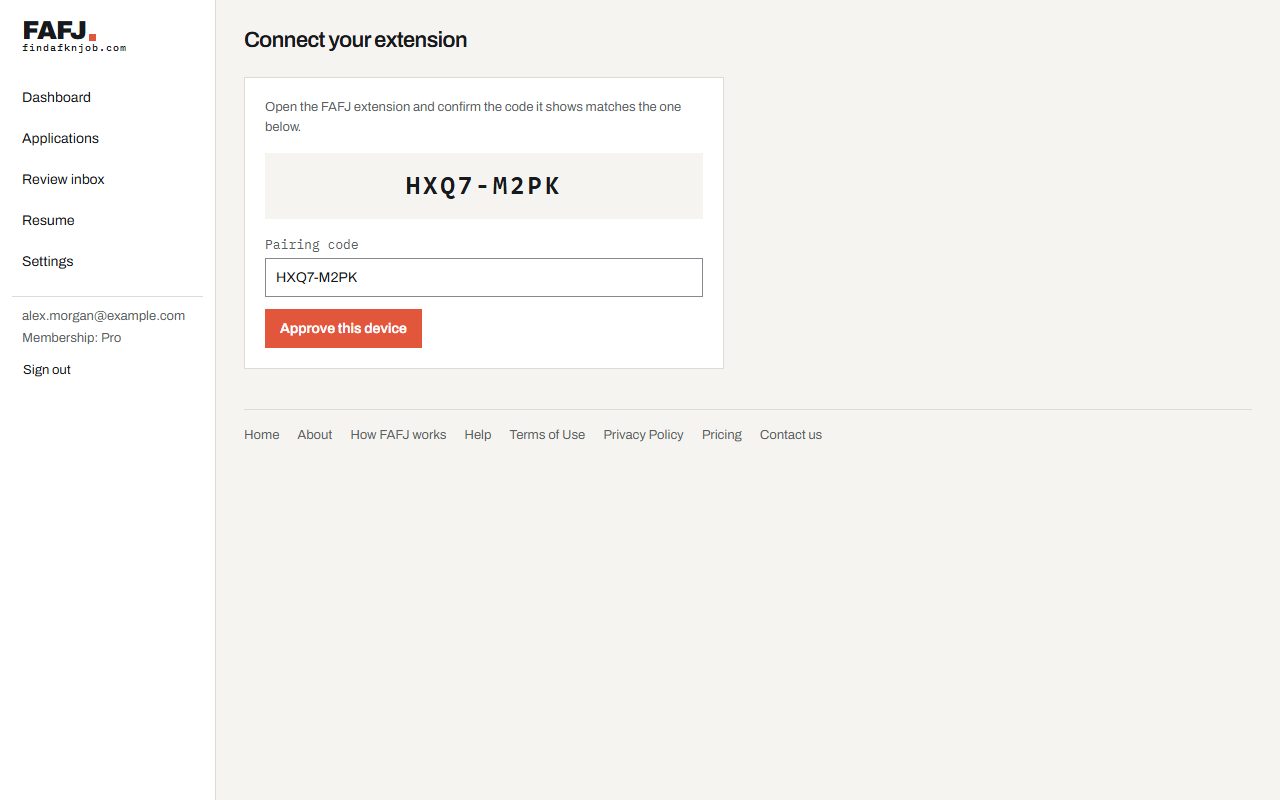
Install the extension
Add it to Chrome, Firefox or Edge on your computer and click Connect. This is what saves and tracks jobs for you. More
Then just apply
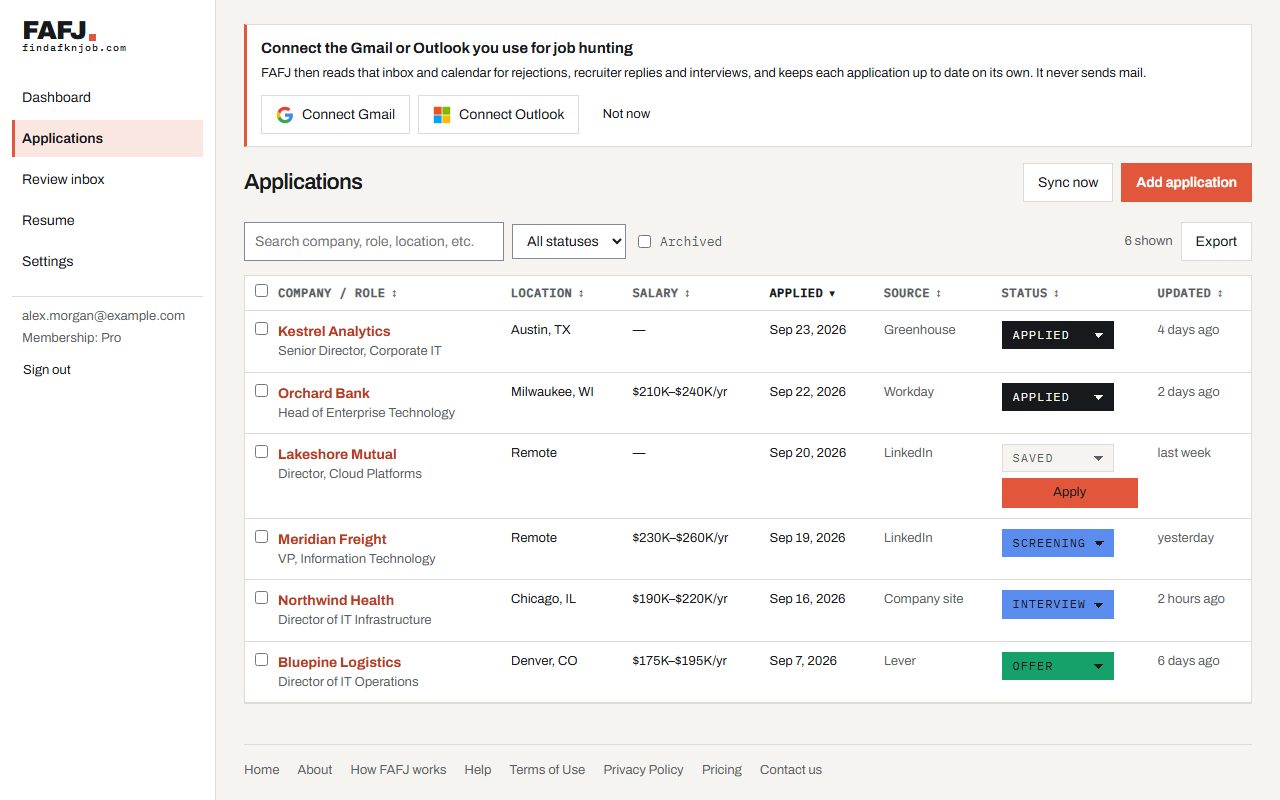
Save jobs you like
On LinkedIn, Indeed, Greenhouse, Lever, Workday, Ashby, iCIMS, Taleo, UKG, Oracle, Avature, SuccessFactors, Dayforce, or any careers site, click Save in the extension. The full posting is saved, including pay and description. More
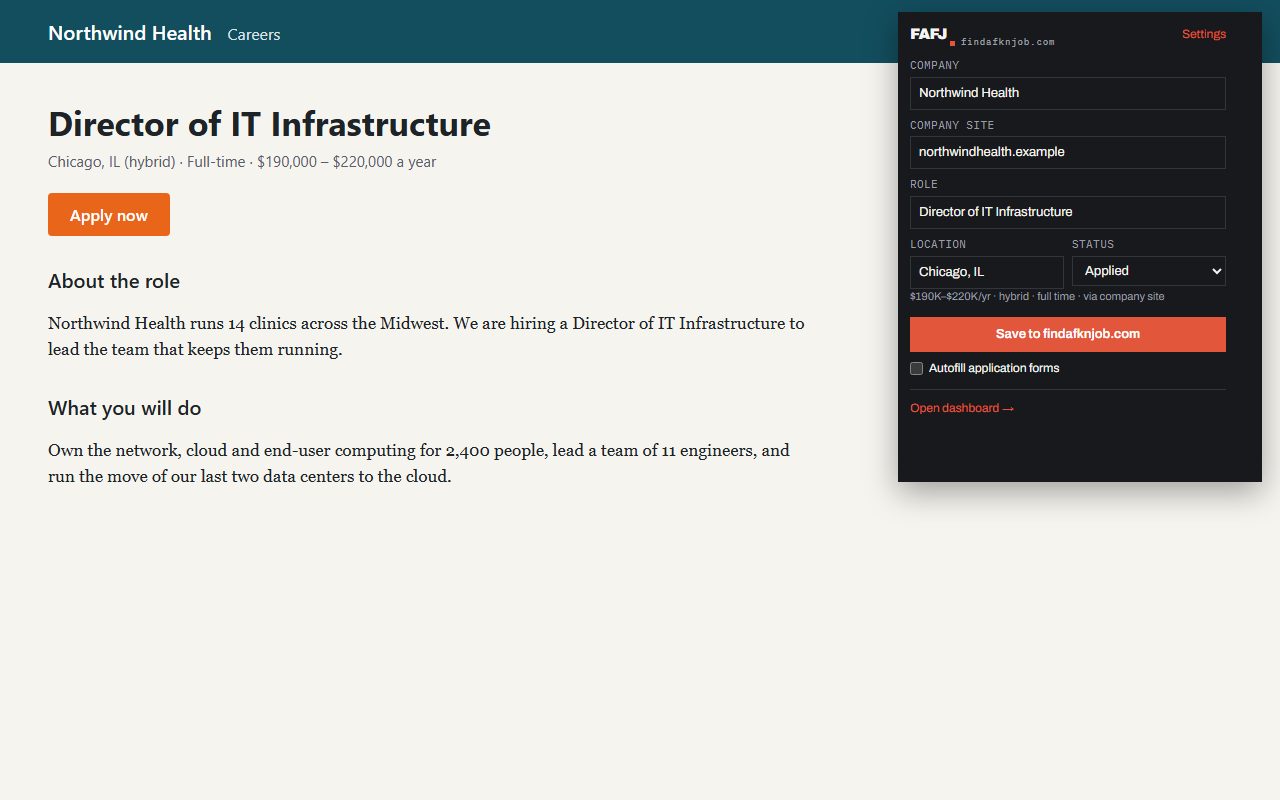
Click Apply. We'll handle the rest.
The job lands on your board the moment you click Apply, with the full posting. Submit the form and it moves to Applied, with the answers you gave. More
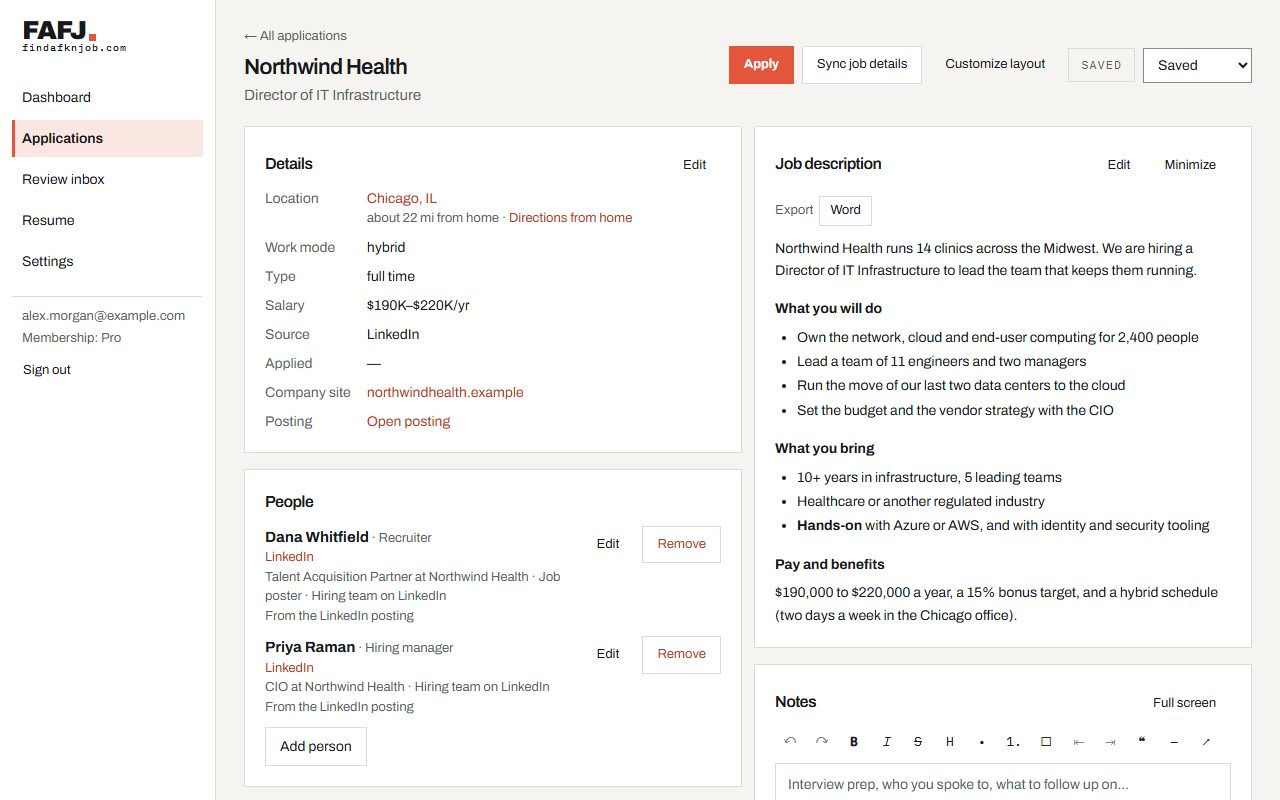
Watch it all in one place
Every job, its status, pay, and where you found it, sorted however you like. Your dashboard shows what's active, what's coming up, and everything that just happened. More
Workday, Greenhouse, Lever and 70+ more: every job site FAFJ works with. More on using the browser extension and the job application tracker.
Match your resume to a job (Pro)
Before you apply, see how your resume lines up with the job, and what to change for it. AI features
- Open a job that has its description.
- Tap Analyze my match.
- Read what you meet (✓), meet another way (!), and miss (✗). Tap Missing first to see the gaps on top.
- Tap Suggest resume edits.
- Copy the edits you want into your resume.
- Or tap Tailor my resume: edit the rewritten resume like a document and download it as Word or PDF.
See your fit for this job

Tweak your resume for this job

Pro can also fill your Resume Profile from your resume with AI, and you review it before anything is saved.
Match analyses, resume suggestions, tailored resumes, and cover letters (written from the Cover letter card on an application) each use one AI credit: 50 a month on Pro. Filling your profile from a resume doesn't use AI credits (up to 10 a month).
On your phone
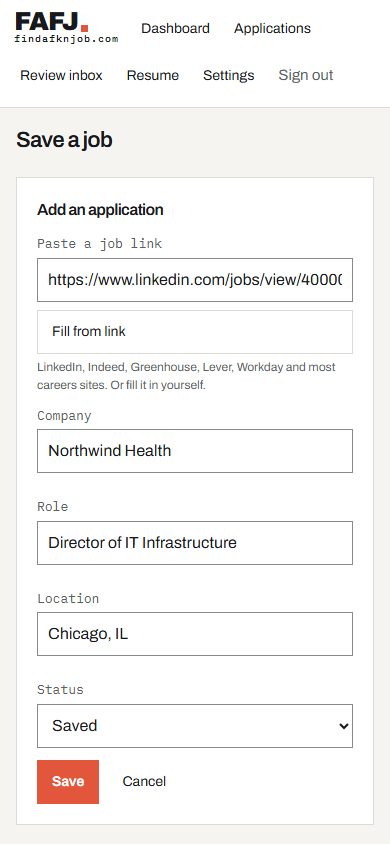
Found a job on your phone? Share it to FAFJ or paste the link into Add application, and we fill in the details. If a site hides the details, save it and finish on your computer with the extension. Full phone guide
Want it to run itself? Try Pro.
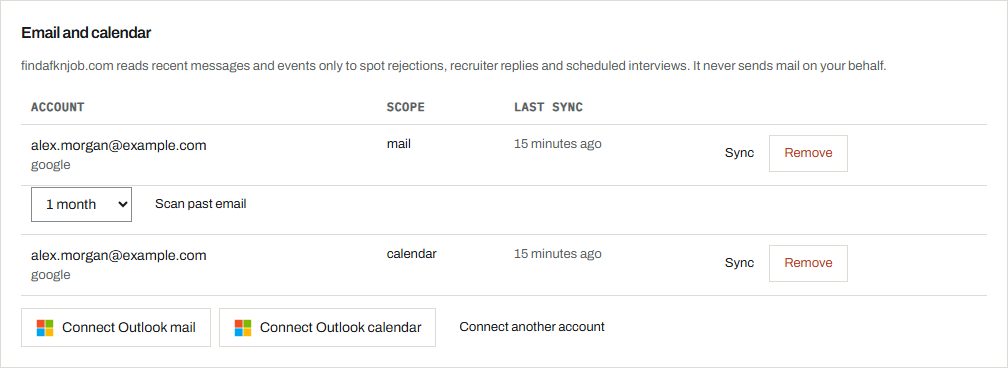
Your inbox updates your board (Pro)
Connect Gmail or Outlook and your calendar. Replies, rejections, and interviews land on the right application automatically. Anything unclear waits for you to review. More
Crowdsource it (Pro)
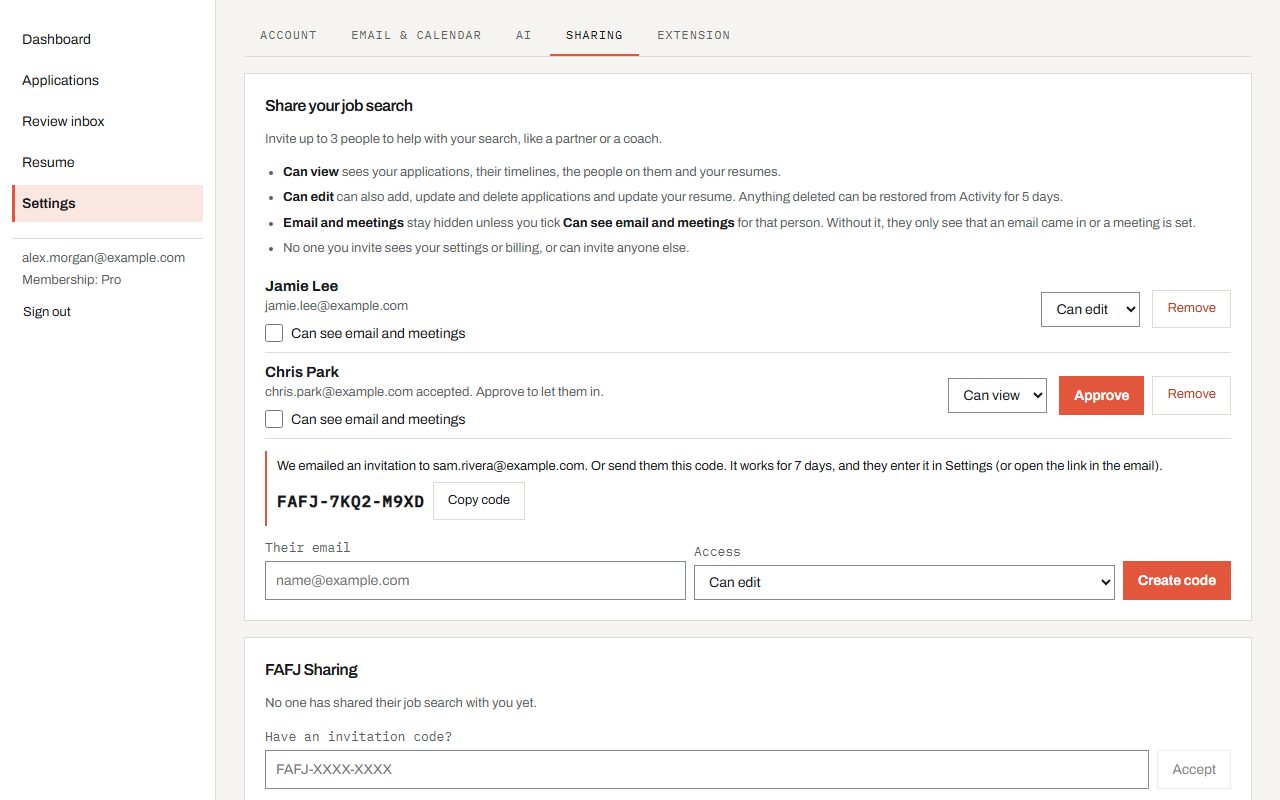
Invite up to 3 people, like a partner, friend, or coach. They can watch your progress or add jobs and update applications for you. More
More on tracking applications from Gmail and Outlook and AI cover letters.
Pro is in beta while we finish it. Leave your email on the Pricing page and we'll tell you the day it opens. FAFJ is free and unlimited in the meantime. See Pro
You stay in control
- FAFJ never submits an application for you.
- We read mail only to find messages about your job search, and never send mail for you.
- People you share with never see your settings or billing.
- Delete something by mistake? Restore it within 5 days.
Learn more
- Sign in to your job tracker account: Sign up with Google, Microsoft or an email link, one account per mailbox, and what happens with an account that is already connected.
- Upload your resume and fill your profile: Upload your resume and FAFJ fills in Your Resume Profile: your contact details, work history, education and skills.
- Job application tracker browser extension: Connect the extension, save jobs as you browse, and have each job tracked the moment you click Apply.
- Job application tracker list and dashboard: Sort, search and change statuses in the Applications list, merge duplicates, act on several at once, and see your search at a glance.
- Save a job and apply later with Sync job details: Apply to a job you saved in one click, and bring in its latest details from the posting.
- Job application notes, contacts and timeline: Details, people, calendar, notes, files and the timeline of each job, arranged the way you like.
- Recruiter emails and files with each application: Track a recruiter’s email with the extension, keep attachments and your own files with the job, and file size limits.
- Track job application emails from Gmail & Outlook (Pro): Connect Gmail or Outlook and your calendar, work the Review inbox, stop tracking a sender, and disconnect.
- Share your job search with a partner or coach (Pro): Invite up to 3 people to view or help with your job search, and work in a job search shared with you.
- Restore a deleted job application: See who changed what in your job search, search and sort it, and restore a deleted application within 5 days.
- Job application tracker on your phone: Save a job from your phone by pasting or sharing its link, add FAFJ to your home screen, and finish on a computer.
- AI cover letters, job match and resume tailoring: Write a cover letter, see your fit for a job, tailor your resume to it and download it as Word or PDF, fill your profile with AI, and how AI credits work.
- Refer a friend to FAFJ: Share your personal link with anyone who is job hunting, with buttons for email, LinkedIn and X.
Ready to find a fkn job?
Free and unlimited. No card needed.