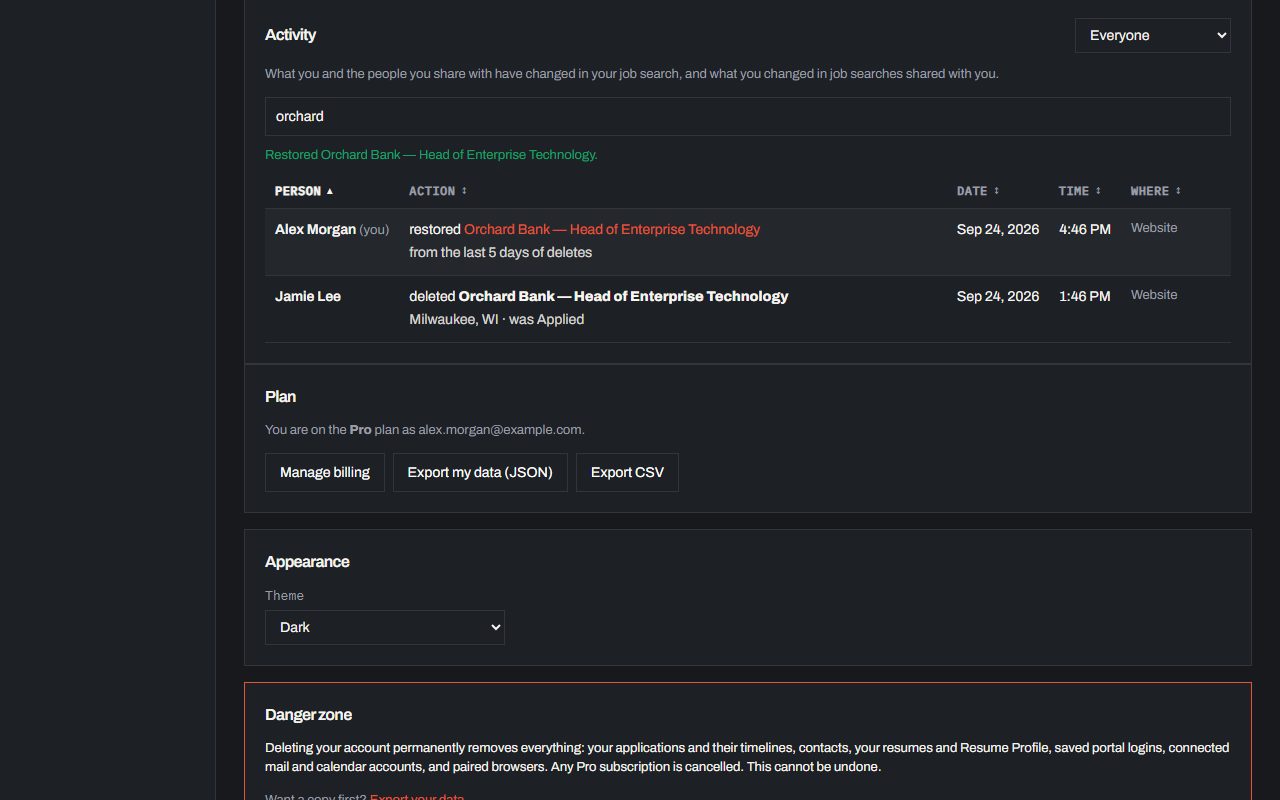
Activity and restoring deleted jobs
See who changed what in your job search, search and sort it, and restore a deleted application within 5 days.
See who changed what
Settings has an Activity table: every change in your job search, who made it (everyone by name, you marked (you)), the date and time, and where: the website or the Chrome extension. Each entry says what changed, like a job moved from Applied to Interview, the fields that were edited or the file that was added, and links to the application. Search it by person, company, action, date and more, or pick a person to see only their changes. Click Person, Action, Date, Time or Where to sort by it, and again to reverse it; on a phone each entry folds into one line and the Sort menu does the same. People you share with see the same table while they are in your account, and your own also shows what you changed in job searches shared with you.
A delete names the job, as Company — Role · Location, and the status it was in, one job per line when several went at once. Deleted an application by mistake, or someone you share with did? Click Restore on its entry within 5 days and it comes back with its timeline, people and files. After 5 days it is gone for good.