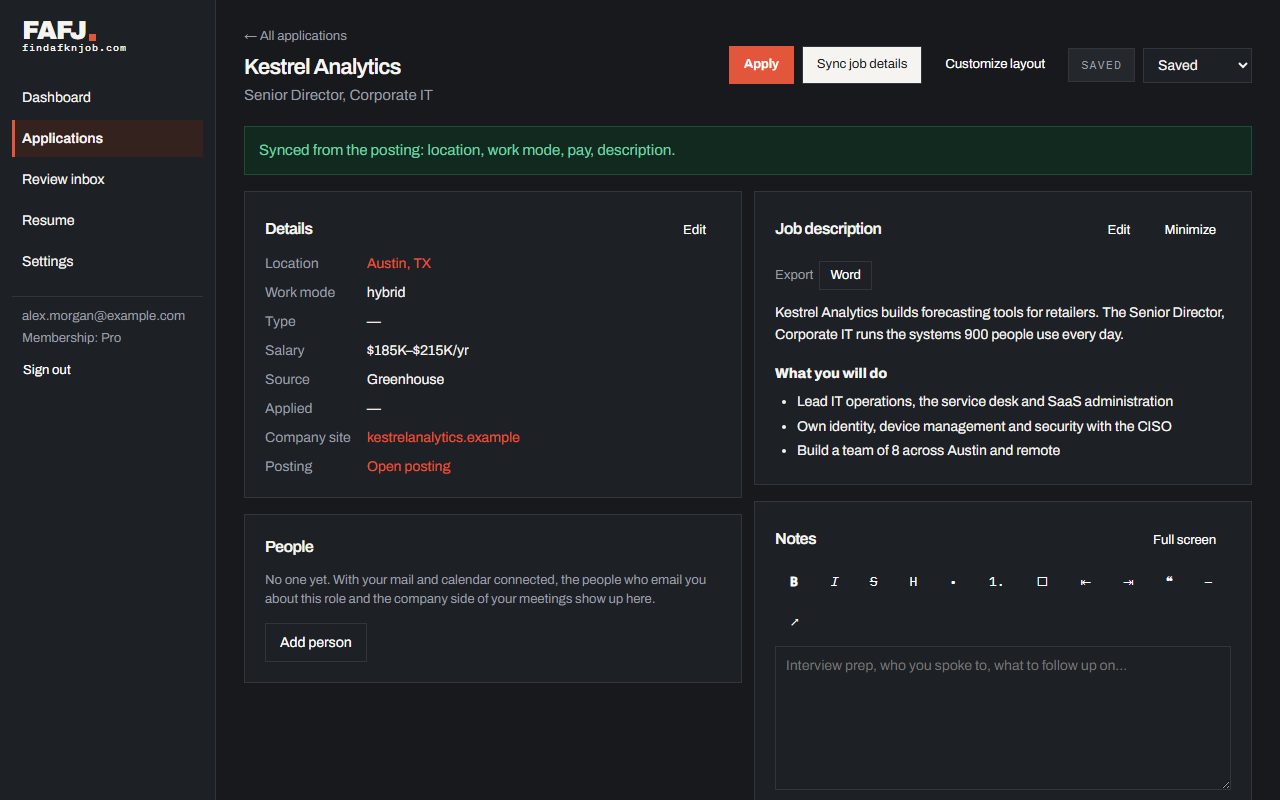
Applying to a saved job and Sync job details
Apply to a job you saved in one click, and bring in its latest details from the posting.
Apply to a job you saved
Ready to apply to a job you saved? Click Apply, under its status in the Applications list or at the top of its page. The place to apply opens in a new tab and the job moves to Applied. Posting changed, or saved before it could be read in full? Click Sync job details on the application’s page. FAFJ reads the posting again and brings in its location, work mode, job type, pay and description (a description you edited is kept), and the role and company if they are missing, then tells you what changed. That works for company careers pages with an Ashby job on them, too. Some sites won’t let us read their postings. Then FAFJ says so and links to the job: go to it and click the FAFJ Chrome extension there, and it reads the posting and fills in the details. Don’t have the extension yet? The message links to getting it.