Sharing your job search (Pro)
Invite up to 3 people to view or help with your job search, and work in a job search shared with you.
Crowdsource your job search
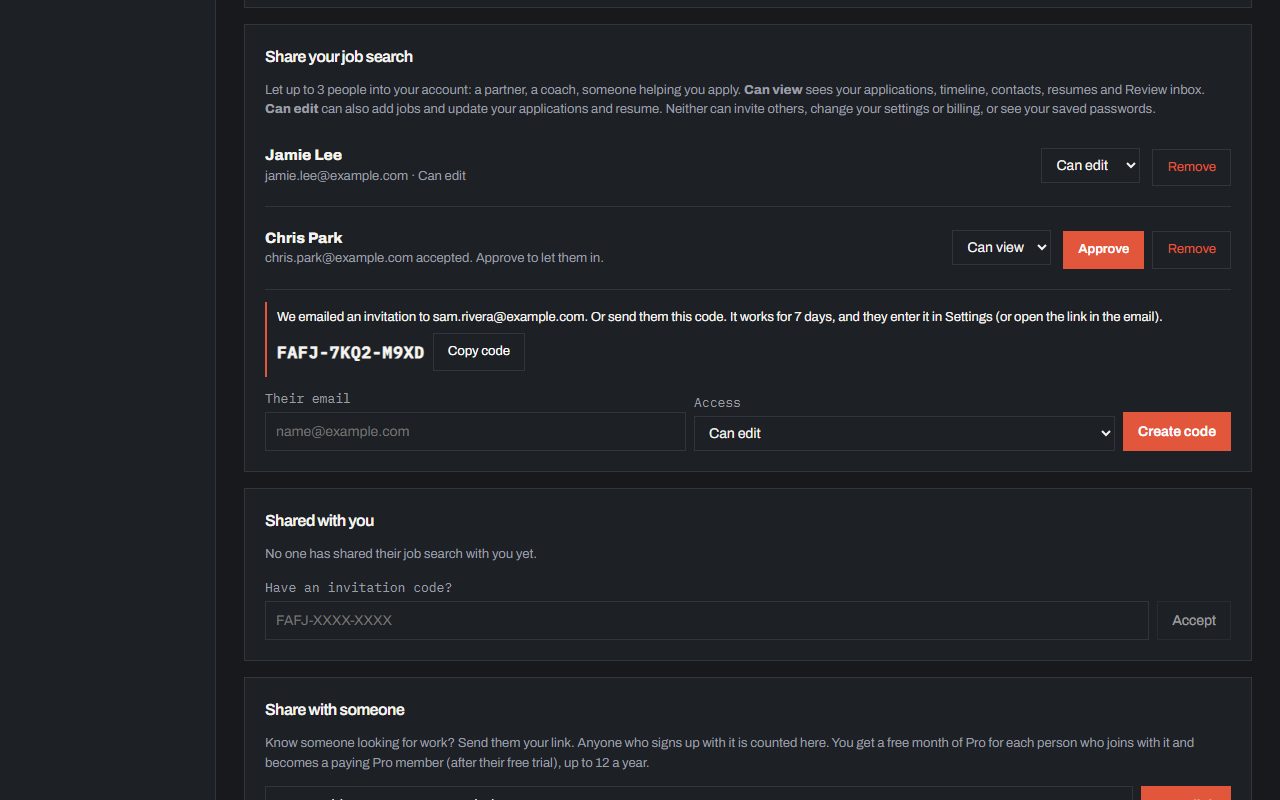
On Pro, invite up to 3 people from Settings, like a partner, a friend or a career coach. Send the invite by email, or give them a code like FAFJ-7KQ2-M9XD that works for 7 days. They accept it on Free or Pro, signing in the way they always do. If the address you invite already has a FAFJ account, the invitation appears at the top of their app with Accept and Decline, no code needed. You get a note when each one accepts. Pick Can view (read only) or Can edit (can add, update and delete applications, update your resume, work your Review inbox, and save jobs they apply to for you). Change a role or remove someone any time. They never see your saved portal passwords, settings or billing, and they can’t invite anyone else.
Every application someone deletes shows in your Activity, where you can restore it for 5 days (see Activity and restoring deleted jobs). When someone adds a job to your job search, from their phone or computer, you see a notice like Kerry shared 3 jobs with you, and each job says From Kerry, marked New until you open it. Sharing pauses if you leave Pro.
Work in an account shared with you
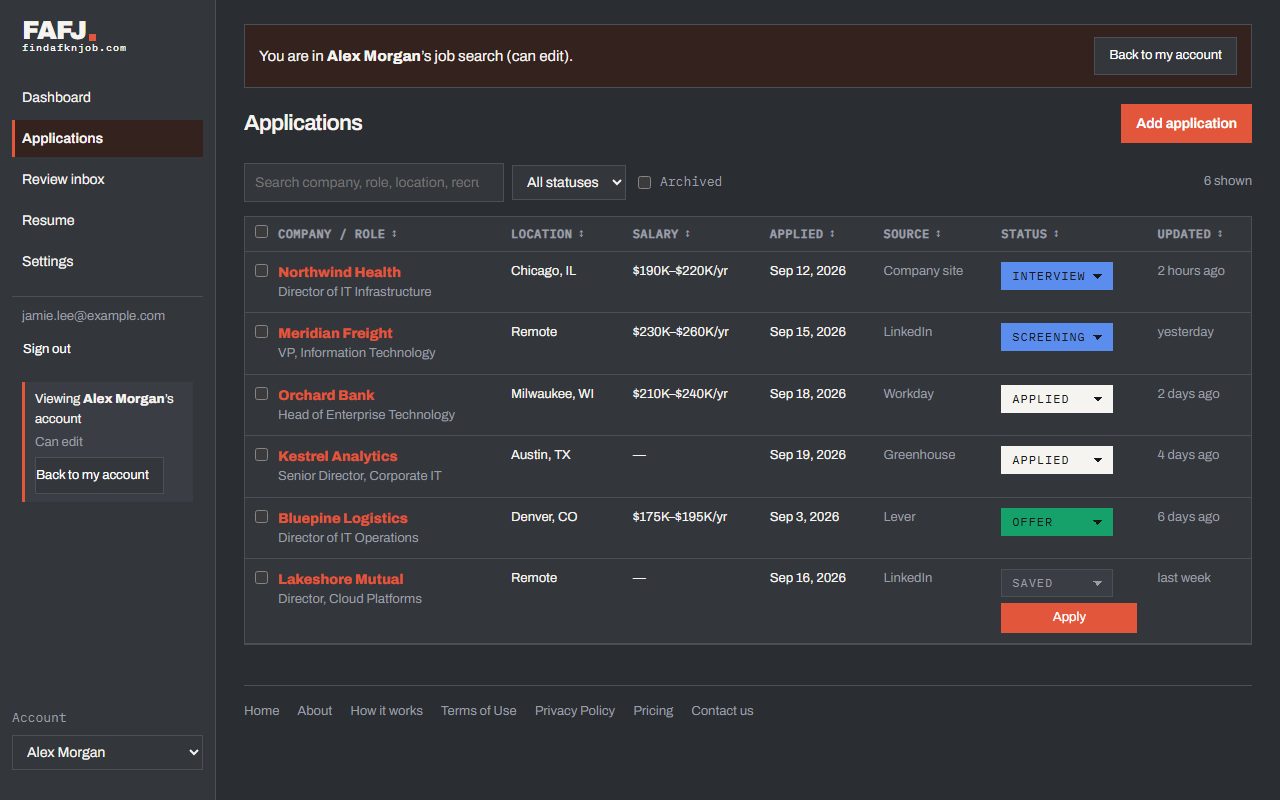
When someone shares their job search with you, click Accept on the invitation at the top of your app, then Open it, or switch to it any time from the Account menu. While you are in it, the app turns gray so it is never mistaken for your own, and the menu shows Viewing (their name)’s account with Back to my account. Your own light or dark setting stays as it is. With Can edit, you can add jobs and update their applications (or delete them, one at a time or ticked together), work their Review inbox, and pick their name under Applying for in the Chrome extension, so jobs you apply to go on their board. Sharing a job from your phone asks whose job search it is for. With Can view, you see everything but change or delete nothing.