AI: Match, Suggest, Fill, and reading links
See your fit for a job, get resume edits for it, fill your profile with AI, and how AI credits, packs and Turn off AI work.
See your fit for a job
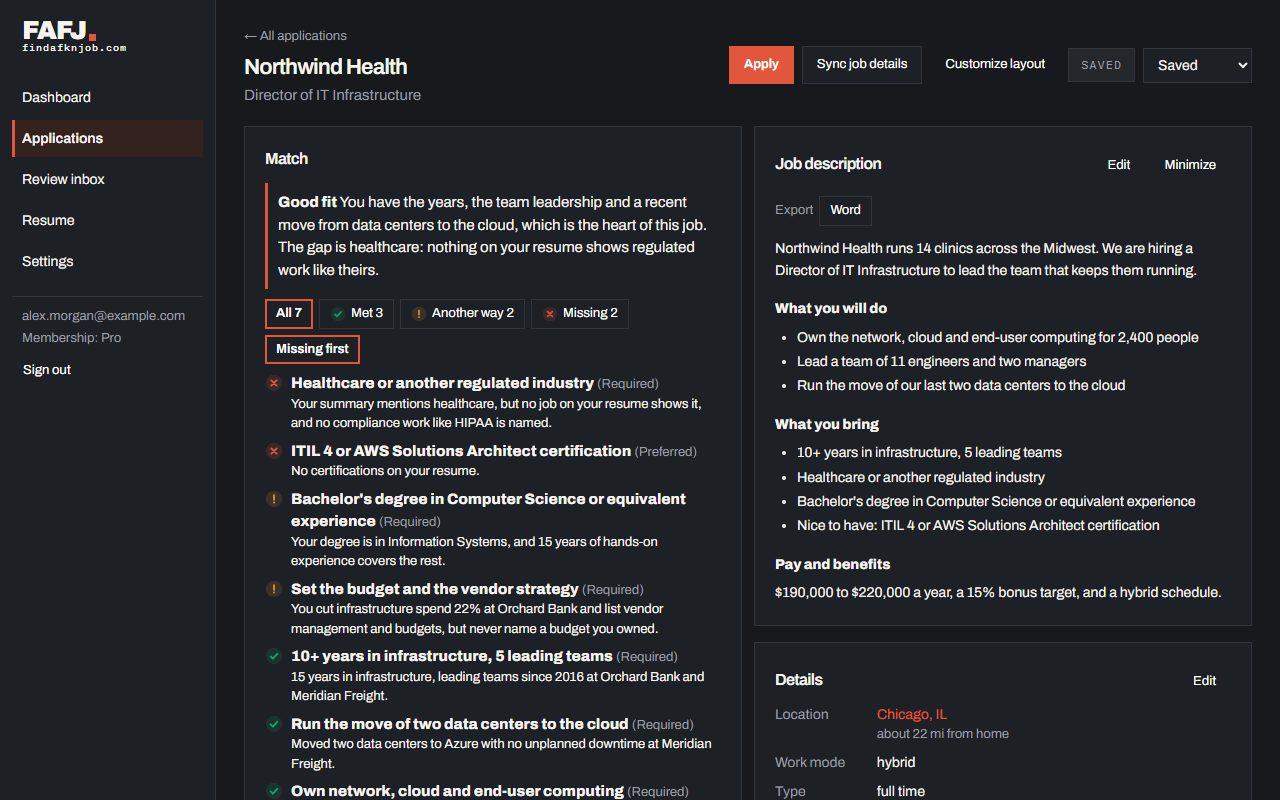
On an application with its full job description, tap Analyze my match and AI compares your resume with that description. It gives an overall fit — Strong fit, Good fit, Worth a try or Big reach — with a line saying why, and goes through the job’s requirements one by one, each marked Met, Met another way or Missing. “Met another way” means your resume does not say exactly what the posting asked for, but shows something close enough to count — different tools, a related role, or the same work under another title. “Missing” names what your resume does not show yet, not what you lack — tap Missing first to see those first.
Analyzing a job uses one AI credit: 50 a month on Pro, 15 during the free trial (a Free account gets some too, when the site turns that on). After a result, Was this right? lets you say with a 👍 or 👎, and which requirements it got wrong; that feedback is used only to improve Match, never shown to anyone else.
Suggested resume edits
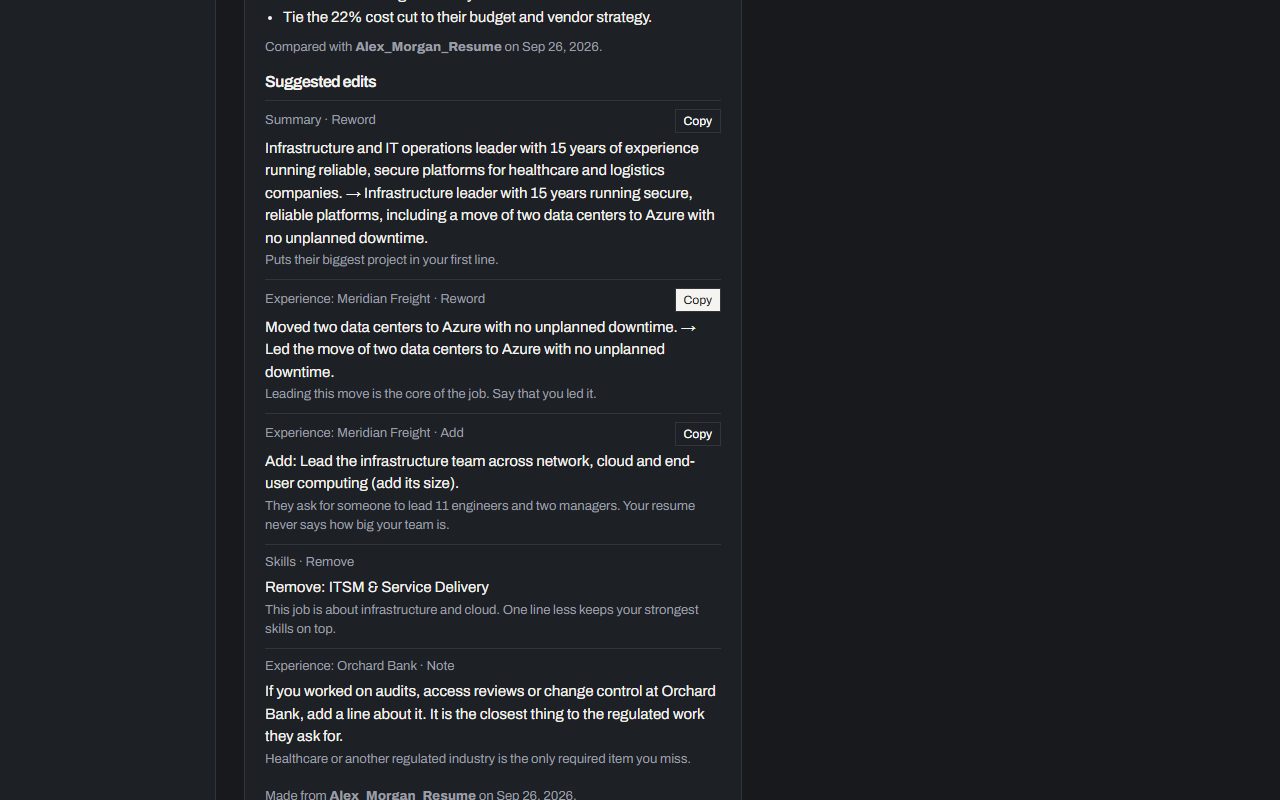
After a Match analysis, tap Suggest resume edits for edits aimed at this job: a line to reword, a skill or line to add, one to remove, or a note (something to check or ask about, not text to copy). Each says which section it is for and why. Nothing is changed for you — your resume file stays as it is, and you Copy the edits you want into it yourself. This also uses one AI credit, and has its own 👍/👎 once you have a result.
Fill your profile with AI, and suggested websites
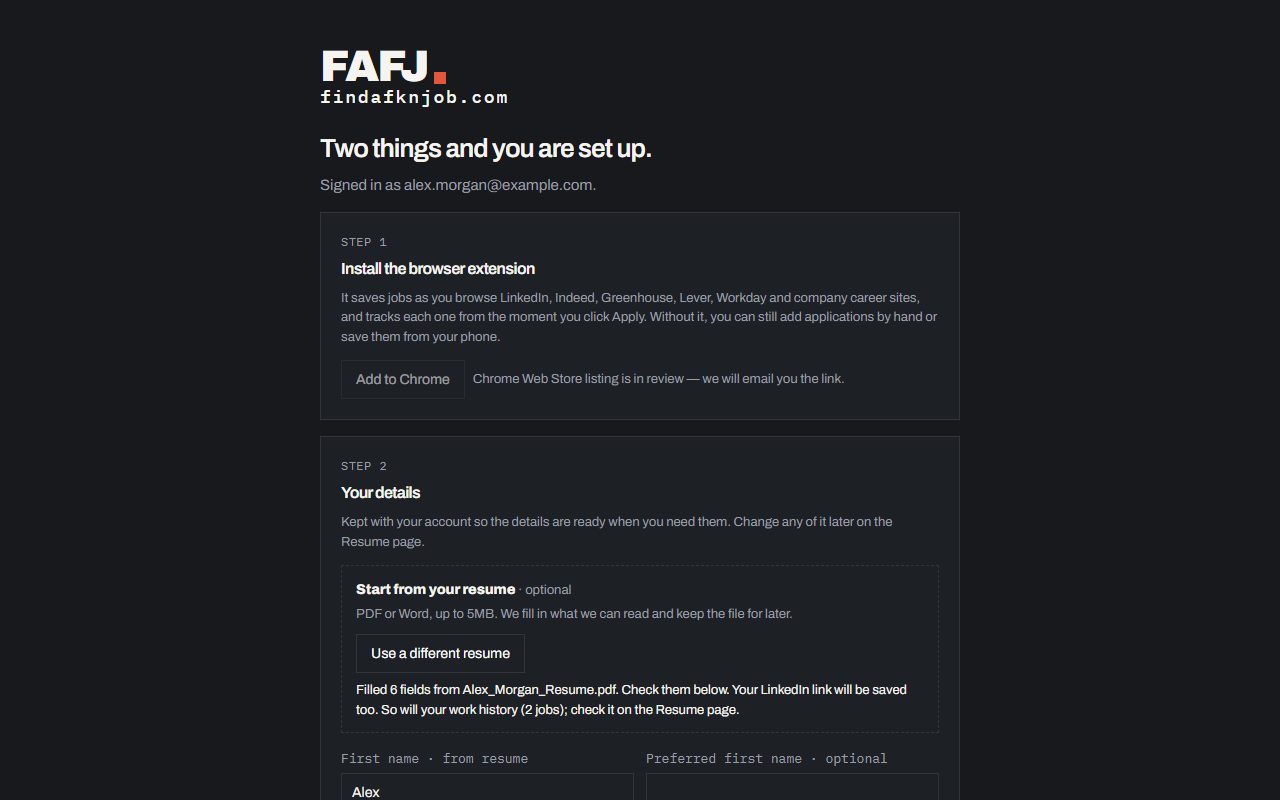
Uploading a resume always fills in what FAFJ can read directly: your name, phone, city, state, ZIP, LinkedIn and past employers (see Your resume and profile). Pro can go further: Fill with AI on the Resume page reads the resume with AI and proposes changes across your whole profile — work history, education, skills and more — and you check each one, side by side with what you already have, before anything saves. Filling with AI does not use AI credits; it is its own monthly allowance, up to 10 a month.
Filling your profile with AI also looks at each past employer in your work history and, when it can, adds that company’s website. A suggested website is marked Suggested until you edit or save it, so it is never mistaken for something you typed.
Reading a shared or pasted link, AI credits, and turning AI off
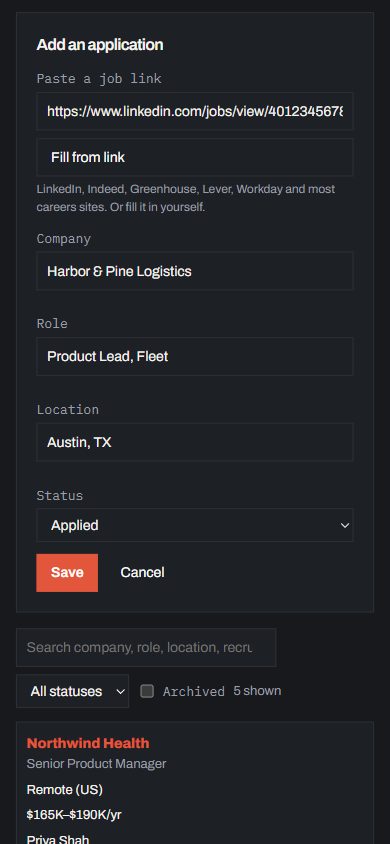
When a job link you share or paste (see Using FAFJ on your phone) does not carry the posting’s text, or the page needs a browser to build itself before it can be read, FAFJ reads the page’s public text and AI fills in the description for you to check. This does not use AI credits and works on every plan: Free gets 5 of these a day, Pro gets 30. If a link still cannot be read, you can always fill the job in by hand.
Settings has an AI credits card: this month’s used and left, extra credits, when they reset, and a year of history you can search and sort. Need more before the month resets? Buy a pack of 100 AI credits; a pack never expires and is used only after your monthly ones. An AI features card, further down Settings, lists everything AI is used for and has Turn off AI: switch it off and FAFJ stops sending anything to its AI provider for your account (Match, suggested edits, filling with AI, suggested websites and reading links all stop until you turn it back on), with the choice to also delete your saved AI results. Whether AI is on or off, your data is never used to train AI models.